Is your business optimized for the prevention of COVID - 19?
Everyday Support, Everywhere
Omni means of all things or everything, and that’s reflected in our service to you. We provide ongoing maintenance, support and education as part of our full suite of security system solutions. Underlying everything at OmniVision is our philosophy that this is more than just a transaction. It’s a true partnership and we don’t just wash our hands of your project once it’s complete.
Read More
Security Systems in Melbourne
As a leading provider of security systems in Melbourne and throughout Australia, we at OmniVision specialize in commercial security systems. Our advanced solutions are designed to help businesses protect their assets and ensure the safety of their employees.
Here are some of our major offerings:
- Video management software: It allows businesses to monitor their premises in real-time and access recorded footage remotely.
- POS integration: This makes it easy for businesses to integrate their point-of-sale systems with their security cameras, helping prevent theft and fraud.
- Advanced sensors: This includes sensors such as motion detectors PIR, biometric readers, automatic number plate recognition, and proximity readers. These sensors help businesses control access to their premises and identify potential security threats.
- Enterprise access control: This provides a centralized system for managing access to multiple locations.
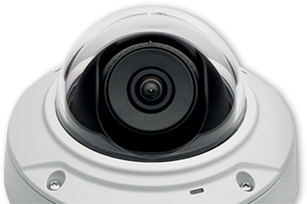
OmniVision’s systems include DVRs, NVRs, and GPRS monitoring, allowing businesses to store and access footage remotely. Our security systems also include alarm systems, CCTV cameras, panic/duress buttons, and IP Cameras. These features help deter intruders and provide an additional layer of protection for businesses.
Overall, our smart security systems are a comprehensive solution for businesses looking to improve their security in Melbourne and beyond. With our advanced features and reliable performance, we are a top choice for commercial security systems in Melbourne.
Commercial Security Systems in Melbourne
As a provider of commercial security systems in Melbourne and throughout Australia, we at OmniVision understand the importance of keeping your business secure. Our smart security systems are designed to provide comprehensive protection against a range of potential threats, including break-ins, vandalism, and staff safety concerns.
- One of the primary benefits of our commercial security systems is their ability to protect your business from security breaches. Our systems are designed to detect and prevent unauthorized access to your premises, helping to keep your employees and your assets safe.
- In the unfortunate event of a break-in or vandalism, our security systems are equipped with alarms and cameras that can alert you and law enforcement, capturing footage and evidence to help identify the perpetrators.
- We also understand the importance of staff safety, and our security systems are designed to help protect your employees from harm. Panic buttons and emergency protocols can be implemented to quickly alert security personnel in the event of an emergency, providing peace of mind and a safer work environment for your staff.
Smart Security Systems
OmniVision offers smart security systems designed to meet the specific needs of businesses in Melbourne and throughout Australia. Our advanced systems provide comprehensive protection against a range of potential risks, including shrinkage, pilfering, and workplace health and safety concerns.
- Our smart security systems have the ability to prevent shrinkage and pilfering. Our systems use advanced sensors and cameras to detect potential theft and can alert security personnel in real time.
- In addition to preventing theft, our smart security systems can also help mitigate the risk of error and omission. Our systems can monitor key processes and procedures, ensuring that they are followed correctly and consistently.
- Another key benefit of our smart security systems is their ability to mitigate risk with public liability. By monitoring your premises and ensuring that they are safe and secure, our systems can help protect your business from liability claims and lawsuits.
- Our smart security systems can help businesses to mitigate risks with workplace health and safety concerns. By monitoring key areas and processes, our systems can help identify potential hazards and alert security personnel in real time.
Business Intelligence through Security Systems
At OmniVision, we believe that our smart security systems can do more than just protect your business from security threats. Our advanced systems are designed to provide valuable business intelligence insights that can help you improve marketing effectiveness, process efficiencies, sales analytics, and more.
- Marketing effectiveness. By monitoring customer traffic and behaviour, our systems can help identify patterns and trends that can inform your marketing strategy.
- Improving process efficiencies: By monitoring key processes and procedures, our systems can help identify bottlenecks and inefficiencies, allowing you to streamline your operations and reduce costs.
- Identifying training needs: By monitoring employee behaviour and performance, our systems can help identify areas where additional training or support may be needed.
- Providing valuable sales analytics insights: By monitoring customer behaviour and preferences, our systems can help identify opportunities for upselling and cross-selling, as well as areas where your sales team may need additional support or training.
- Automation and reduction in human error: By automating key processes and procedures, our systems can help reduce the risk of human error, improving accuracy and efficiency.
Overall, our smart security systems are a valuable investment for businesses in Melbourne and throughout Australia. With advanced features and powerful business intelligence capabilities, OmniVision a top choice for commercial security systems in Melbourne. Get in touch with us to discuss your business needs today!




About Us
OmniVision designs and implements industry-leading electronic surveillance and security solutions. Beyond security systems, we gather big data in the physical space and mines, analyse and transform that data to give you accurate and valuable insights about your business.
Awards & Certifications
Happy customers make us happiest. But we can’t deny that it’s nice to be recognised for our work and innovation. Read more about us and our achievements.






Google Reviews






Clients
Retail, Logistics & Warehousing, Hospitality, Education, Health and Banking sectors across Australia use our modern, flexible and innovative products. But we are well aware that one size does not fit all. We customise everything when we work with you, so the solution is perfect for your specific needs.